Desktop applications
Purpose-built tools for teams who work at desks, on local networks or with particular device and operational requirements.
Bespoke software development
Not every business fits neatly into an off-the-shelf system. Arkenloft designs and develops desktop applications, web applications and internal tools that bring processes, information and people together.
When it makes sense
Whether work is scattered across spreadsheets, handled through repetitive administration or constrained by an existing system, we start by understanding the people, information and decisions involved. Sometimes the answer is a focused application. Sometimes it is a smaller integration or improvement to what you already use.
What is included
What we can build
The right approach depends on how the software will be used, not which technology happens to be fashionable.
Purpose-built tools for teams who work at desks, on local networks or with particular device and operational requirements.
Browser-based systems for shared records, customer interactions or workflows accessible across suitable devices.
Connected processes that reduce duplication between quoting, planning, reporting and the information used day to day.
Services and data structures that help systems exchange information reliably and remain understandable as needs change.
In development / Arkenloft Labs
Our in-house Quotenvia project brings quotation records, scheduling and stock information into a shared operational picture. Its desktop interface demonstrates the type of interconnected business workflow we develop. Quotenvia remains in development and is not a released client product.
Explore Quotenvia in Labs →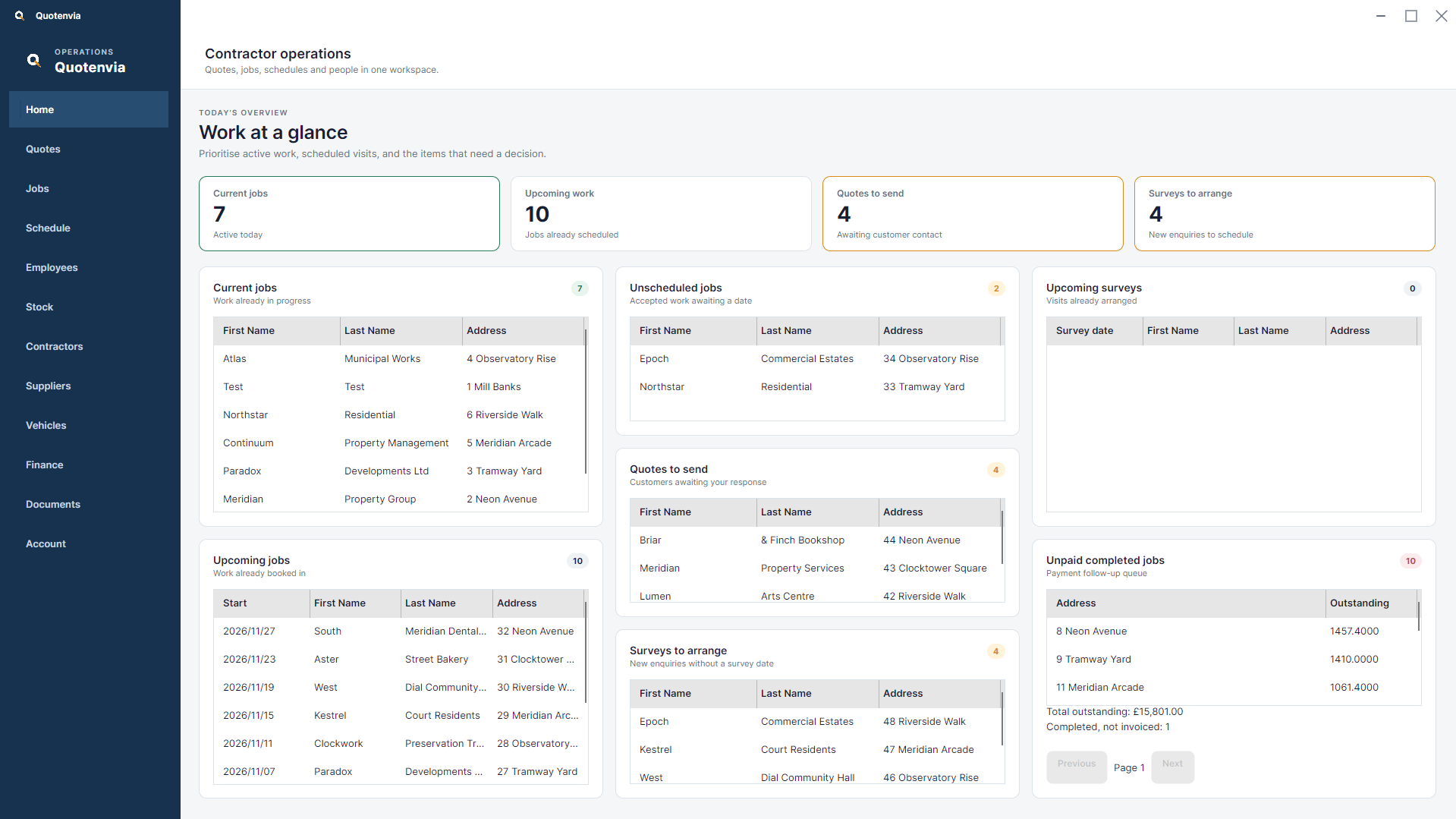
Planning the work
Some teams need a browser-based tool; others benefit from desktop software or a system operating on a local network. Workflows, user roles, existing data and integrations shape the scope and cost. We agree what the first version needs to do and consider hosting, offline operation, access controls, deployment and ongoing support around the actual constraints of the project.
How it works
Map the process, users, data, constraints and what existing software already does well.
Agree the essential first scope and how the interface, underlying data and deployment should work together.
Develop and test in deliberate stages, check real workflows and plan a manageable handover or release.
Questions, answered
No. We also design and develop bespoke desktop applications and internal business software, alongside the APIs and data services they may need.
Yes, where it suits the requirements. We can explore local-network hosting, offline needs and deployment constraints during discovery; the right approach depends on the system and environment.
Often. We begin by reviewing what is working already, then consider integration, targeted improvements or a new application only where justified.
Yes. A focused prototype or first release can help validate the most important workflow before committing to a wider system.